

Completed SOC 2 Type 2 examination.View our trust center
Level3AITry Emily

AI customer support for consumer electronics

Get it working.
Keep them happy.

Get it working.
Keep them happy.

Get it working.
Keep them happy.

Emily is Level3AI’s AI agent for consumer electronics support. It helps customers set up and troubleshoot devices using photos and live video, then connects the next step to orders, returns, warranty and delivery.

Emily is Level3AI’s AI agent for consumer electronics support. It helps customers set up and troubleshoot devices using photos and live video, then connects the next step to orders, returns, warranty and delivery.

Razer customer logo
PRISM+ customer logo
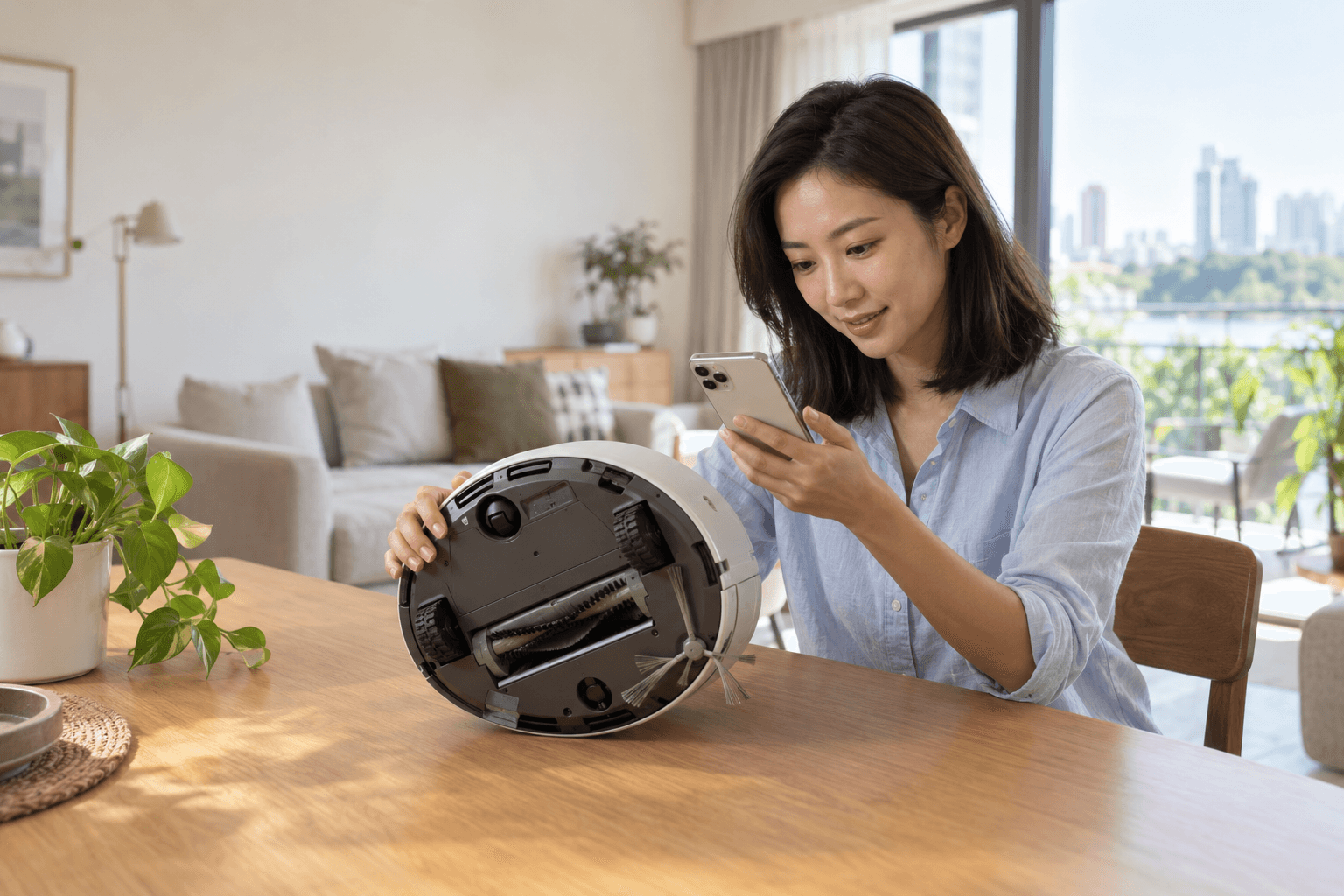
Customer showing a robot vacuum to Emily using her phone at home
Show. Explain. Resolve.
EMILY / MULTIMODAL SUPPORT

“Let’s take a look.”

Real devices. Real-world answers.

SMART HOME

AUDIO + ENTERTAINMENT

PERSONAL DEVICES

CONNECTED APPLIANCES

CONSUMER ELECTRONICS / INDUSTRY EXAMPLES

Familiar devices.
Real-world questions.

Familiar devices.
Real-world questions.

Familiar devices.
Real-world questions.

From the living room to a gaming setup, a useful answer starts with the device in front of the customer.

From the living room to a gaming setup, a useful answer starts with the device in front of the customer.

From the living room to a gaming setup, a useful answer starts with the device in front of the customer.

ROBOT VACUUM + MOP
PRISM+ NanoBot Pro robot vacuum with its self-maintaining base station
PRISM+ NanoBot Pro
CUSTOMER QUESTION

“Why won’t it return to the dock?”

See the behaviour. Guide the next check.

A short video shows how the robot approaches its dock. Emily can combine that with photos of the base station and app status to guide the next model-specific check.

Official product reference

DEVICE FAILURE + RMA
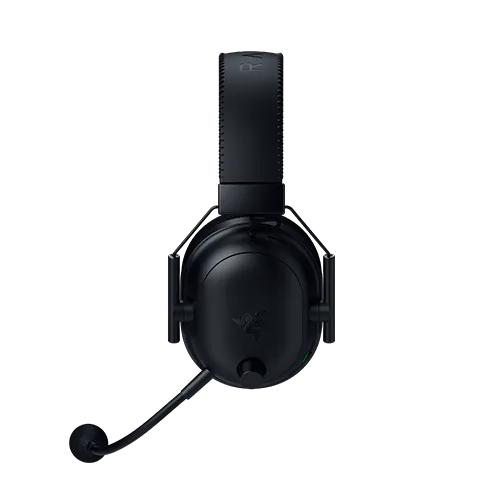
Razer BlackShark V2 Pro gaming headset
Razer BlackShark V2 Pro
CUSTOMER QUESTION

“My headset stopped working. Can I get a replacement?”

Check eligibility. Prepare the RMA.

Emily collects fault evidence and purchase details, checks warranty and RMA eligibility, then creates the approved request and explains the return or replacement steps.

Official product reference

Example questions. Product imagery and trademarks belong to their respective owners.

01 / MULTIMODAL TROUBLESHOOTING

See what they mean.
Help in the moment.

See what they mean.
Help in the moment.

See what they mean.
Help in the moment.

A blinking light. An unfamiliar sound. A device that stops mid-task. Emily brings visual evidence and product knowledge into the same conversation.

A blinking light. An unfamiliar sound. A device that stops mid-task. Emily brings visual evidence and product knowledge into the same conversation.

A blinking light. An unfamiliar sound. A device that stops mid-task. Emily brings visual evidence and product knowledge into the same conversation.

support.yourbrand.com / robot-vacuum
SUPPORT / ROBOT VACUUM

Help with your robot vacuum.

Customer at home with a robot vacuum
Error lights and sounds
Cleaning the main brush
Connecting to the app

Get through the first setup.

Activation, app setup, pairing and connectivity. Help customers reach the moment their new device starts working.

Make sense of everyday faults.

Charging, battery life, error lights and unexpected stops. Use evidence to narrow the next check for the model.

Keep the right version in view.

Product generation, firmware and accessory compatibility. Ground each step in the relevant approved guidance.

02 / RETURNS, REPAIR + LOGISTICS

A good next step.
Even when it needs to come back.

A good next step.
Even when it needs to come back.

A good next step.
Even when it needs to come back.

Troubleshooting is part of the journey. When a device needs a different outcome, use the same case context to move it forward.

Troubleshooting is part of the journey. When a device needs a different outcome, use the same case context to move it forward.

Troubleshooting is part of the journey. When a device needs a different outcome, use the same case context to move it forward.

A fair return. A clear refund.

Use the order, return window and your policy to explain the options before taking action.

  1. 1

    Check eligibility

    Purchase channel, delivery date, condition and policy.

  2. 2

    Arrange the return

    Create an authorised request and explain packing and collection.

  3. 3

    Keep the customer updated

    Track receipt and the refund state in your systems.

03 / YOUR COMMERCE + SUPPORT STACK

Know the product.
Connect the operation.

Know the product.
Connect the operation.

Know the product.
Connect the operation.

Emily works with the systems your teams already use, bringing the customer, the device and the order into the same decision.

Emily works with the systems your teams already use, bringing the customer, the device and the order into the same decision.

Emily works with the systems your teams already use, bringing the customer, the device and the order into the same decision.

EmilyYour policies.
Your permissions.
CONNECTED CONTEXT → USEFUL ACTION

Know what the customer bought.

Order

Device, bundle and purchase channel

Status

Payment, fulfilment and delivery

Action

Update an order within your rules

Explore integrations →

04 / BEFORE + AFTER THE SALE

Make the whole ownership
experience feel connected.

Make the whole ownership
experience feel connected.

Make the whole ownership
experience feel connected.

Support starts before checkout and continues long after the delivery. Give each engagement the context it needs.

Support starts before checkout and continues long after the delivery. Give each engagement the context it needs.

Support starts before checkout and continues long after the delivery. Give each engagement the context it needs.

BEFORE CHECKOUT

Choose with confidence.

Answer compatibility, specification and accessory questions using product information and available stock.

DELIVERY + UNBOXING

Start on the right foot.

Explain delivery status, missing items, registration and first-use setup without sending customers between teams.

EVERYDAY OWNERSHIP

Keep the relationship going.

Bring previous cases, device details and warranty context into chat, WhatsApp, email or voice, as connected in your deployment.

Explore customer channels →

05 / YOUR TEAM + EMILY

Better handoffs.
Better support, over time.

Better handoffs.
Better support, over time.

Better handoffs.
Better support, over time.

Give specialists the investigation, not a fresh start. Your team gets the symptom, customer evidence, product context and checks completed in one case.

Give specialists the investigation, not a fresh start. Your team gets the symptom, customer evidence, product context and checks completed in one case.

Give specialists the investigation, not a fresh start. Your team gets the symptom, customer evidence, product context and checks completed in one case.

Your policies shape the next step.

Set the checks Emily can guide, the actions she can take and the moments that need a person. Validate the workflows before expanding them.

Explore Build →

Learn from what customers show you.

Review unresolved cases and recurring symptoms. Improve product guidance and playbooks, then evaluate the change before release.

Explore Operate →

06 / QUESTIONS FROM ELECTRONICS TEAMS

Common questions.
Clear answers.

Common questions.
Clear answers.

Common questions.
Clear answers.

What electronics brands, retailers and marketplaces ask before putting Emily to work.

What electronics brands, retailers and marketplaces ask before putting Emily to work.

How does an AI agent help with device troubleshooting?

Emily guides customers through setup, pairing, connectivity and everyday faults such as charging, battery life and error lights. Each step is grounded in approved guidance for the specific model, firmware and accessories.

Can customers send photos or video?

Yes. Emily brings photos and live video into the same conversation as your product knowledge, so a blinking light or an error screen can narrow the next check.

What happens when a device needs a return or repair?

Emily keeps the same case context and moves the customer to the right outcome, such as a return or repair, using your order, warranty and logistics records.

When does Emily hand over to a specialist?

When evidence is unclear or a symptom needs specialist care. Emily stops the checks and hands over with the photos, video and steps already captured, so your team gets the investigation, not a fresh start.

Which systems does Emily connect to?

Your product knowledge, orders, returns, warranty and logistics systems, alongside your helpdesk. Level3AI integrates with helpdesks such as Zendesk and Salesforce, as well as your own business APIs.

Which channels does Emily support?

Chat, WhatsApp, email and voice, as connected in your deployment. Previous cases, device details and warranty context carry across every channel.

LET’S START WITH YOUR PRODUCTS

Bring a device.
We’ll bring Emily.

Bring a device.
We’ll bring Emily.

Bring a device.
We’ll bring Emily.

Let’s walk through one real support journey, from a customer’s photo or video to the systems and policies that shape the next step.

Let’s walk through one real support journey, from a customer’s photo or video to the systems and policies that shape the next step.

Let’s walk through one real support journey, from a customer’s photo or video to the systems and policies that shape the next step.

Compliant

IMDA Spark programme member
ISO/IEC 27001:2022 Certified badge
ISO/IEC 42001:2023 Certified badge
GDPR compliance badge, powered by Vanta
AICPA SOC 2 compliance seal

© 2026 Level3AI. All rights reserved.

Compliant

IMDA Spark programme member
ISO/IEC 27001:2022 Certified badge
ISO/IEC 42001:2023 Certified badge
GDPR compliance badge, powered by Vanta
AICPA SOC 2 compliance seal

© 2026 Level3AI. All rights reserved.

Compliant

IMDA Spark programme member
ISO/IEC 27001:2022 Certified badge
ISO/IEC 42001:2023 Certified badge
GDPR compliance badge, powered by Vanta
AICPA SOC 2 compliance seal

© 2026 Level3AI. All rights reserved.